
Alors on Danse AI video generator
Alors on Danse AI Video: Put Two Photos in the White Studio
An Alors on Danse AI video recasts the viral white-studio keyboard meme with two people you choose. Upload one photo for the performer on the keys and one for the hype partner; the generator keeps the studio, camera and timing, adds the beat back and returns a vertical 9:16 MP4 of 5, 10, 15 or 30 seconds.
Make my Alors on Danse AI video- Two photos: keys and hype
- Vertical 9:16, up to 1080p
- Original beat added back
- Credit quote before you generate
10 seconds · 9:16 · 720p · original beat added after generation
Credits are charged when the job starts and refunded automatically if it fails. Lip sync is approximate, and faces can drift in the close-up.
Reference clip: motion, camera and studio come from this community remake. It is not a result made from your photos.
Alors on Danse AI Video Examples
Every Alors on Danse AI video follows the same beat: someone taps the mini keyboard, the partner points, cheers and leans into the lens, then both stroll off. These remakes show how far one studio meme stretches.
Best friends on the keys
MC Gandalf x DJ Frodo, the remake that started it
MC Dumbledore x DJ Harry
MC Palpatine x DJ Anakin
Walter and Jesse take the studio
A woman and her dog, behind the scenes
These Alors on Danse AI videos were not made on raindancemaker.com. They are credited community remakes (the first is a two-photo output from another generator), shown so you can see the format before you spend credits. Your Alors on Danse AI video depends on the two photos you upload.
How to Make an Alors on Danse AI Video in 3 Steps
1. Upload the two performers
Person 1 goes on the keys, on the left of the frame. Person 2 is the hype partner on the right who gets the close-up. Use one person per photo with the face clearly visible, and tap Swap if you want them the other way round.
2. Choose length, model and resolution
Seedance 2.5 is the default and gives the best likeness; it is also the only model that makes the full 30-second meme. Seedance 2.0 Mini, Fast and 2.0 make 5, 10 or 15 seconds for less. Pick 480p, 720p or 1080p, and the credit cost of the Alors on Danse AI video updates before you press Generate.
3. Generate, watch, download
The model makes the swap without sound, then the beat from the same reference clip is mixed back in. Watch your Alors on Danse AI video in the player and save the 9:16 MP4 for TikTok, Reels or Shorts.
No prompt to write, no clip to hunt down, no editor to line up the music. Making the meme comes down to choosing the two people.
Who Plays the Keys? Roles in an Alors on Danse AI Video
This Alors on Danse AI video generator is a character swap on one pinned reference clip. The roles are fixed by what each performer does, so the order of your photos decides who is who.
What stays the same
- The studio. Seamless white backdrop, the table, the mini keyboard and the laptop.
- Camera and timing. The cuts, the push-in close-up and the walk-off follow the reference beat for beat.
- The beat. The audio of that same clip is added after generation. Nothing is re-sung or voice-cloned.
What comes from your photos
Faces, hair, skin tone, build and clothes of both performers. The source costumes are removed.
The reference is a credited community remake by @barriai on TikTok, with its creator marks and caption removed so they don't end up in your Alors on Danse AI video. TikTok
Alors on Danse AI Video Cost in Credits
Each Alors on Danse AI video is priced by model, length and resolution. The generator shows the same quote before anything is charged.
| Model | 5s | 10s | 15s | 30s | Good for |
|---|---|---|---|---|---|
| Seedance 2.0 Mini | 10 | 19 | 28 | — | |
| Seedance 2.0 Fast | 35 | 69 | 104 | — | |
| Seedance 2.0 | 58 | 116 | 174 | — | |
| Seedance 2.5 | 88 | 175 | 262 | 523 |
Every Alors on Danse AI video is a vertical 9:16 MP4 with the beat: 480 × 854, 720 × 1280 or 1080 × 1920. Each video is one generation, never stitched: Seedance 2.0 Mini, Fast and 2.0 make up to 15 seconds, and the full 30 seconds is Seedance 2.5 only. Mini and Fast render 480p or 720p; Seedance 2.0 and 2.5 also render 1080p.
What uses credits, and what doesn't
- New accounts may receive 5 signup credits to try it.
- Videos made on a free account carry a moving raindancemaker.com watermark.
- Any paid order removes the watermark from new videos and unlocks the clean originals of the ones you have already made.
- Credits are charged when a job starts. If it fails, they are refunded automatically.
- The Starter plan adds 240 credits a month for $9.
Compare plans on the pricing page
Tip: Seedance 2.5 looks best. To save credits, test a new pair at 5 seconds on Seedance 2.0 Mini, then make the full 30-second Alors on Danse AI video on Seedance 2.5.
Credits for Alors on Danse AI videos
Every plan works for Alors on Danse AI, Hotel Lobby AI and the Raindance generator. Any paid order removes the watermark from new videos.
Starter
For trying the trend
240 credits / month
≈ 12 ten-second Mini 720p videos
- Watermark-free videos, including ones you already made
- Failed videos refunded
- Email support
Pro
For regular creators
780 credits / month
≈ 41 ten-second Mini 720p videos
- Watermark-free videos, including ones you already made
- Failed videos refunded
- All lengths up to 15 seconds
- Priority support
Enterprise
For agencies and pages
2,650 credits / month
≈ 139 ten-second Mini 720p videos
- Everything in Pro
- Dedicated support
- Custom integrations
Alors on Danse AI Video Generator vs Doing It by Hand
You can rebuild the meme yourself with a reference-to-video model. Here is what that takes compared with this page.
| Step | By hand with a video model | This Alors on Danse AI video generator |
|---|---|---|
| Reference clip | Find and cut a clean copy of the studio meme yourself | Pinned clip, already cut to 5, 10, 15 and 30 s |
| Prompt | Write role instructions and fix them when the sides swap | No prompt: photo order sets the roles |
| Watermarks in the source | Models copy creator marks and captions from the clip | Removed from the reference before generation |
| The song | Silent output; add and sync the track in an editor | Beat from the same clip mixed back in |
| Failed runs | Each retry is paid | Failed jobs refund their credits |
General AI dance video generators animate a photo to a song; they don't recreate this studio. If you want the Alors on Danse AI meme itself, a fixed template is the shorter route.
What Is the Alors on Danse AI Meme?
Keep it in good fun: use photos of people who agreed to appear, and never pass an Alors on Danse AI video off as real footage. raindancemaker.com is independent and not affiliated with Stromae, Jamel Debbouze, Made in Jamel or the creators credited above.
"Alors on danse" ("so we dance") is Stromae's 2009 hit, released in Belgium that September and across Europe in early 2010. The white-studio scene people now remake is a 2010 comedy sketch from Made in Jamel in which Jamel Debbouze "helps" Stromae write the song. It was staged for laughs; it is not a real recording session.
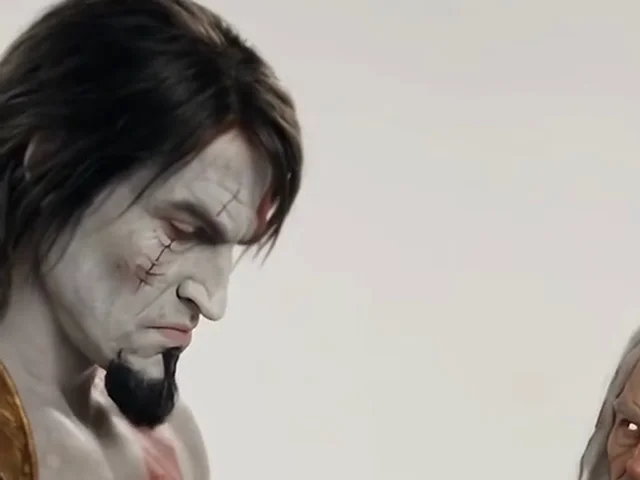
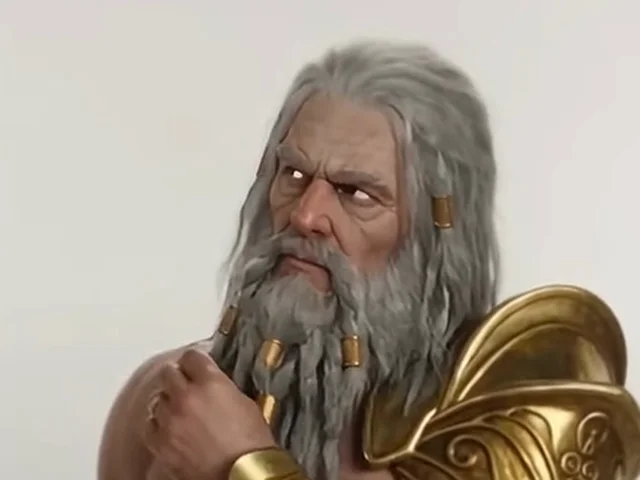
In 2026 creators started rebuilding that sketch with AI: Gandalf and Frodo, Dumbledore and Harry, Palpatine and Anakin, Kratos and Zeus. The format sticks because the set never changes, so the new faces carry the joke. The Alors on Danse AI video trend is simply that remake with you and a friend in the two roles.
Don't mix it up with the 2021 Alors on Danse TikTok trend, where people danced in slow motion to a slowed remix of the song. That one is a dance challenge; the Alors on Danse AI meme is the keyboard sketch.
Photo Tips for a Better Alors on Danse AI Video
When a face drifts or the two people blend, the input is nearly always the cause. These rules keep an Alors on Danse AI video looking like the people you chose.
- One person per photo. Crop group shots first; two faces in one image can merge.
- Face clearly visible. No sunglasses, masks or hands over the face. A front or three-quarter view works best.
- Even light, no heavy filters. Beauty filters remove the details that make a face recognizable.
- Show the upper body. Waist-up photos carry clothes and build into the studio shot.
- Check who is on the keys. Person 1 plays the keyboard, Person 2 gets the close-up. Use Swap before you generate.
- Test short first. Each Alors on Danse AI generation varies, so try 5 seconds before the full 30.
Alors on Danse AI Video FAQ
Is the Alors on Danse AI video generator free?
Making an Alors on Danse AI video uses credits, and the exact cost is shown before you press Generate. New accounts may get 5 signup credits to try it. Videos from a free account carry a moving raindancemaker.com watermark; after any paid order, new videos are clean and earlier ones unlock without it. Failed generations are refunded automatically.
Does the Alors on Danse AI video include the song?
Yes. The swap is generated silently, then the audio from the same reference clip is added back, so the MP4 plays the Alors on Danse beat in time with the cuts.
Is the Alors on Danse studio clip a real recording session?
No. It comes from a 2010 Made in Jamel comedy sketch with Jamel Debbouze and Stromae. The AI meme remakes that sketch with other faces.
Which Alors on Danse trend is this?
The AI keyboard-studio meme from 2026, not the 2021 slow-motion dance challenge set to a slowed remix. This page makes the studio version.
Do I need a prompt to make an Alors on Danse AI video?
No. Motion, camera and studio come from the reference clip, and the role instructions are built in. You choose two photos, a model, a length and a resolution.
Can I use one photo, or three people?
Every Alors on Danse AI video needs exactly two photos: one for the keys and one for the hype partner. Three-person remakes exist, but this template is a duo.
What format is the Alors on Danse AI video?
A vertical 9:16 MP4 at 480p (480 × 854), 720p (720 × 1280) or 1080p (1080 × 1920), ready for TikTok, Reels and Shorts. Seedance 2.5 (the default) makes up to 30 seconds in one pass; Seedance 2.0 Mini, Fast and 2.0 make up to 15 seconds. Mini and Fast go up to 720p; Seedance 2.0 and 2.5 also offer 1080p. There is no 16:9 version, because the reference clip is vertical.
How long does an Alors on Danse AI video take?
It depends on the model, the length and current demand; longer videos take longer. With Seedance 2.5 your photos are reviewed by the provider first. You can leave the page and find the video in your history later.
Why does a face look off or swap sides?
Usually it's the photos. Use one person per photo, facing the camera, in good light. Each run varies, so generating the same pair again or trying another model can help.
Can I use celebrity photos or my pet?
The generator is built for photos of real people, one per photo. Use yourself or people who agreed to be in it, and don't present the video as real footage. Pets and drawings may work, but results aren't guaranteed, and the provider may reject some photos (the credits are refunded).
Is this an official Stromae app?
No. It's an independent Alors on Danse AI video generator on raindancemaker.com, with no link to Stromae, Jamel Debbouze, Made in Jamel or TikTok. It runs in your browser with nothing to install.
Make Your Alors on Danse AI Video
Two photos, one white studio, the original beat. Pick who plays the keys, choose a length and model, and see the credit cost before you generate.
More two-photo templates: Raindance AI · Hotel Lobby AI