Raindance Maker

Hotel Lobby AI: Cast Any Two Photos in the Orange-Room Duet

Upload one photo for the left performer and one for the right. Hotel Lobby AI places both faces into Quavo and Takeoff's COLORS performance, then lays the original song back on, so you get a 16:9, 720p MP4 in 5, 10, 15 or 30 seconds.

Upload two photos
  • Two photos: left and right
  • Four Seedance models
  • Original song added back
  • Credit quote before you generate
Person 1 (left)
Person 2 (right)

10 seconds · 16:9 · 720p · original audio added after generation

Video length

Credits are charged when the job starts and refunded automatically if it fails. Lip sync is approximate, and faces can drift across cuts.

Costs 19 credits

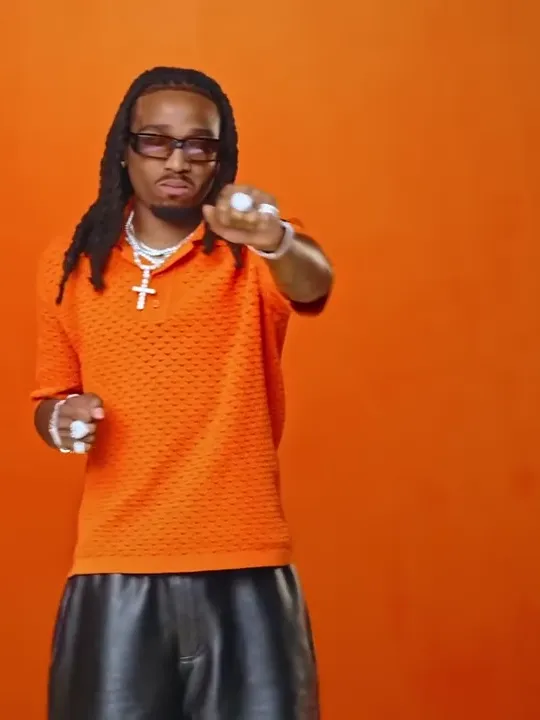
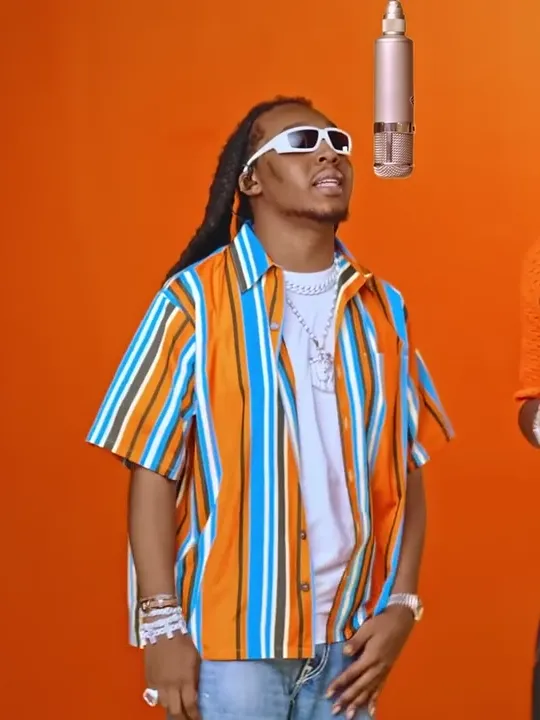
Reference clip: the motion, camera and scene come from this performance. This preview is not a result made from your photos.

Hotel Lobby AI Video Examples: Nine Duos on One Mic

Every Hotel Lobby AI edit runs the same beat-for-beat performance; only the cast changes. These community clips from the trend show how far the format stretches, from pets and parents to cartoon characters and a boxer squaring up to a kangaroo.

Best friends trading verses

Two cats, one verse each

Twins, so left and right finally matter

Mom and Dad take the booth

Anime characters on the mic

A wedding-day duet

Two dragons, same choreography

A boxer and a kangaroo

Suited up for the verse

These clips were not generated on raindancemaker.com and appear here to show the format; your result depends on the two photos you upload. The funniest Hotel Lobby AI pairings are usually the least likely ones: you and your best friend, siblings, a couple on their anniversary, two coworkers before a Friday call. Only cast people who are happy to be in it.

How to Make Hotel Lobby AI Videos in Three Steps

  1. 1. Upload two portraits

    Person 1 becomes the performer on the left and Person 2 the one on the right. Each photo should show one person facing the camera. Tap Swap if you want them the other way round.

  2. 2. Pick a model and a length

    Choose Seedance 2.0 Mini, 2.0 Fast, 2.0 or 2.5, and 5, 10, 15 or 30 seconds. The credit quote updates before you press Generate.

  3. 3. Generate, preview, download

    The model renders the swap without sound, then the soundtrack from the reference clip is mixed back in. Preview your Hotel Lobby AI video and save the MP4.

No prompt to write, no source clip to track down, no editor to line up the audio. That is the whole tutorial.

Hotel Lobby AI Character Swap: What Changes, What Stays

This Hotel Lobby AI generator is a character swap built on one pinned reference clip of the COLORS performance. You cast it; you don't describe it.

What stays the same

  • The choreography. The pointing, the hand-offs and the back-and-forth at the mic follow the reference clip.
  • The set and camera. The orange wall, the single hanging microphone, the framing and the cuts.
  • The soundtrack. The original audio from that same clip is added after generation. Nothing is re-sung or voice-cloned.

What changes

The two performers. Faces and look come from your left and right photos.

Because the motion and camera are locked, there is no prompt box, and the room, song and moves can't be changed. Mouths move with the track, but lip sync is approximate rather than word-perfect.

Hotel Lobby AI Cost: Credits by Model and Length

Each Hotel Lobby AI video is priced by the second. The generator shows the exact quote before anything is charged.

Hotel Lobby AI Cost: Credits by Model and Length
Model5s10s15s30s
Seedance 2.0 Mini10192856
Seedance 2.0 Fast3569104207
Seedance 2.058116174347
Seedance 2.588175262523

Every video is a 16:9, 720p MP4 with the original audio. On the Seedance 2.0 models, a 30-second video is two 15-second segments joined together; Seedance 2.5 renders all 30 seconds in one pass.

What costs credits, and what doesn't

  • Videos made on a free account carry a moving raindancemaker.com watermark.
  • Any paid order removes the watermark from new videos and unlocks the clean originals of the ones you have already made.
  • Credits are charged when a job starts. If it fails, they are refunded automatically.
  • The Starter plan adds 240 credits a month for $9.

Compare plans on the pricing page

Tip: test a new pair at 5 seconds on Seedance 2.0 Mini, then make the long version once you like the look.

Credits for Hotel Lobby AI videos

Every plan works for Hotel Lobby AI and the Raindance generator. Any paid order removes the watermark from new videos.

Starter

$9/mo

For trying the trend

240 credits / month

≈ 12 ten-second Mini 720p videos

  • Watermark-free videos, including ones you already made
  • Failed videos refunded
  • Email support
Popular

Pro

$29/mo

For regular creators

780 credits / month

≈ 41 ten-second Mini 720p videos

  • Watermark-free videos, including ones you already made
  • Failed videos refunded
  • All lengths up to 15 seconds
  • Priority support

Enterprise

$99/mo

For agencies and pages

2,650 credits / month

≈ 139 ten-second Mini 720p videos

  • Everything in Pro
  • Dedicated support
  • Custom integrations

What Sets This Hotel Lobby AI Video Generator Apart

Call it a Migos AI video generator, a Quavo AI maker or a Hotel Lobby AI app; the job is the same. Two photos go in, the duet comes out, and it all runs in your browser with nothing to install.

The song is already on it.

Plenty of tools hand back a silent clip and leave you to add the sound inside TikTok. Here the swap renders silently first, then the original track from the same reference clip is mixed back in, so your MP4 plays with sound straight away.

Both performers stay in frame.

The reference is a 16:9 two-shot, and a vertical crop would cut one rapper out. Your video keeps the full width at 720p.

Up to 30 seconds.

Choose 5, 10, 15 or 30 seconds, enough for a quick reaction post or the whole opening exchange.

Four Seedance models for every Hotel Lobby AI video.

Start cheap on 2.0 Mini, or move up to 2.0 Fast, 2.0 or 2.5.

Refunds when a job fails.

Credits come back automatically, so a failed render never costs you.

Clean copies unlock later.

Make your first videos on a free account; after any paid order, their watermark-free originals become available.

Where the Hotel Lobby AI Trend Came From

Please keep your edits in good spirit. Use photos of people who have agreed to appear, and never present an AI edit as real footage. raindancemaker.com is an independent tool and is not affiliated with Migos, Quavo, Takeoff's estate or COLORS.

"Hotel Lobby" is a 2022 track by Quavo and the late Takeoff, released under their duo name Unc & Phew. Their performance on A COLORS SHOW, two rappers trading lines around one hanging microphone in front of a bright orange wall, is the clip every Hotel Lobby AI video recasts.

In September 2026 AI versions of that performance spread across TikTok, Reels and X, reportedly sparked by an edit starring two cats. Friends, couples, film characters and athletes followed, and searches for Migos AI, Quavo AI and Quavo Takeoff AI climbed with them. The fixed camera and plain backdrop are why the Hotel Lobby AI trend works: the setting stays instantly recognizable, so the new faces carry the joke.

No, it isn't filmed in a hotel lobby. "Hotel Lobby" is the song title; the set is the COLORS studio.

Hotel Lobby Face Swap Tips: Photos That Hold Up

When faces drift or blend, the cause is almost always the input. A Hotel Lobby AI face swap keeps the likeness best when you follow these rules.

Person 1 (left): the performer your photo replaces in the Hotel Lobby AI reference
Person 1 (left)
Person 2 (right): the performer your photo replaces in the Hotel Lobby AI reference
Person 2 (right)
  • One person per photo. Crop group shots first; two faces in one image can merge.
  • Face the camera. Side profiles, sunglasses and hands over the face cost detail.
  • Sharp, even light. Skip heavy beauty filters, which strip out what makes a face recognizable.
  • Show the upper body. A waist-up photo carries clothes and build into the video.
  • Match the two photos. Similar light and framing make the pair look like they share the room.
  • Check the sides. Person 1 is left, Person 2 is right; use Swap before you generate.
  • Run a short test. Each Hotel Lobby AI generation varies a little, so try 5 seconds first.

Hotel Lobby AI Questions, Answered

Is Hotel Lobby AI free?

Making a Hotel Lobby AI video uses credits, and the exact cost is shown before you press Generate. Videos from a free account carry a moving raindancemaker.com watermark; after any paid order, new videos are clean and your earlier ones unlock without it. Failed generations are refunded automatically.

Does a Hotel Lobby AI video have the original song?

Yes. The swap is generated without sound, then the audio from the same reference clip is added back, so the finished MP4 plays the original "Hotel Lobby" track. There is no AI singing or voice cloning.

Do I need a prompt for Hotel Lobby AI?

No. Motion, camera and scene come from the reference clip, so there is no prompt box. You choose two photos, a model and a length.

Can I swap only one performer, or add a third person?

No. Every video needs exactly two photos, one for the left performer and one for the right. The original is a duet, so there is no single-person or three-person version.

Is there a Hotel Lobby AI app or filter?

There's nothing to install. Hotel Lobby AI runs in your browser on a phone or a computer. It is a video generator, not a live camera filter.

How long does a Hotel Lobby AI video take?

It depends on the model, the length and current demand. Longer videos take longer, and a 30-second video on a Seedance 2.0 model is made as two 15-second segments. If a job fails, the credits return automatically.

Why do the faces look off or blend together?

Usually it's the photos. Use one person per photo, facing the camera, in good light, with the upper body visible. Each run also varies, so generating the same pair again can help.

Will the lip sync match the lyrics?

Not word for word. Mouths move with the track, but lip sync is approximate. The moves, framing and audio carry the edit.

Can I use photos of celebrities, pets or cartoon characters?

Hotel Lobby AI is designed for photos of real people, one per photo. Use yourself or people who have agreed to be in the video, and don't present an edit as real footage. Animals and drawings may work, but results aren't guaranteed.

Can I make a vertical 9:16 Hotel Lobby AI video?

No. Videos are 16:9 at 720p, because a vertical crop of this two-shot would cut one performer out. You can still post the landscape MP4 to TikTok, Reels, Shorts or X.

Make Your Hotel Lobby AI Video Now

Two photos, one orange room, the original song. Pick your duo, choose a model and a length, and see the credit cost before you generate.

Want the rain dance trend instead? Try the Raindance AI generator